
Download MSD Collections – Book Collection, Magazine Collection, Software Collection, Printable Reports, Password Protection, Lending Tracking
Overview
MSD Collections is a productivity-focused mobile application designed to help users organize and manage personal collections of books, magazines, and software. With a clean, intuitive interface, the app streamlines the process of cataloging physical or digital items, making it easier to track ownership, availability, and lending history. The app addresses common challenges faced by collectors, librarians, and hobbyists who struggle to maintain accurate records across multiple media types. By offering a centralized system for managing collections, MSD Collections reduces the risk of lost items, forgotten returns, and disorganized inventories.
Target users include book enthusiasts, tech collectors, media hobbyists, and individuals managing personal libraries. The app’s emphasis on data confidentiality through password protection ensures that sensitive information remains secure, making it suitable for users who value privacy. Real-world use cases include tracking borrowed materials among friends, preparing inventory lists for resale or donation, and maintaining detailed logs for personal or professional use. Despite being developed in 2019, the app remains relevant due to its focused functionality and ongoing development of new modules, particularly for movies and music. Its role in the productivity app ecosystem is significant, offering a lightweight yet powerful tool for digital inventory management on mobile devices.
Key Features & Functionality
- User-Friendly Interface: Designed with simplicity in mind, the app allows users to navigate between modules effortlessly. The layout is clean and logically structured, minimizing the learning curve for new users.
- Comprehensive Tracking: Users can record items they’ve lent out, including borrower names and due dates. This feature supports accountability and helps prevent overdue returns.
- Data Confidentiality: A built-in password protection system ensures that only authorized users can access the collection data, enhancing privacy and security.
- Printable Reports: The app enables users to generate printable reports of their entire collection or specific subsets. These reports can be used for physical record-keeping, sharing with others, or archival purposes.
- Ongoing Development: While the book, magazine, and software modules are fully operational, the development of movie and music modules indicates a forward-looking approach to expanding functionality.
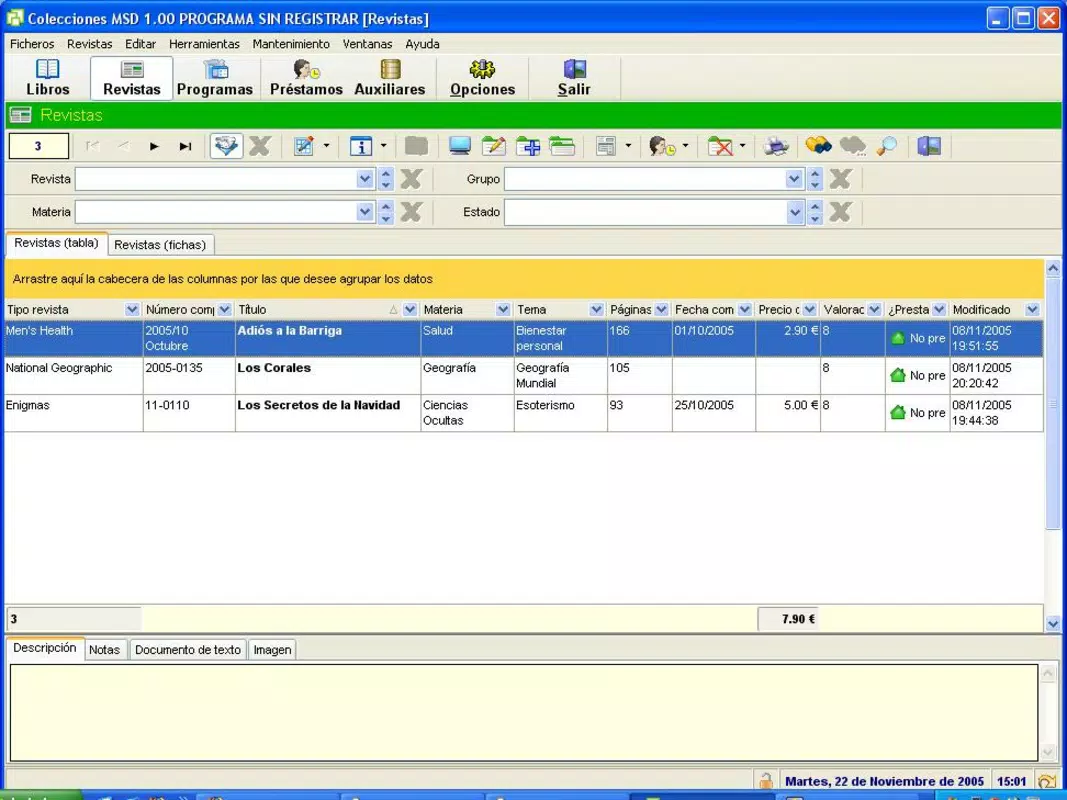
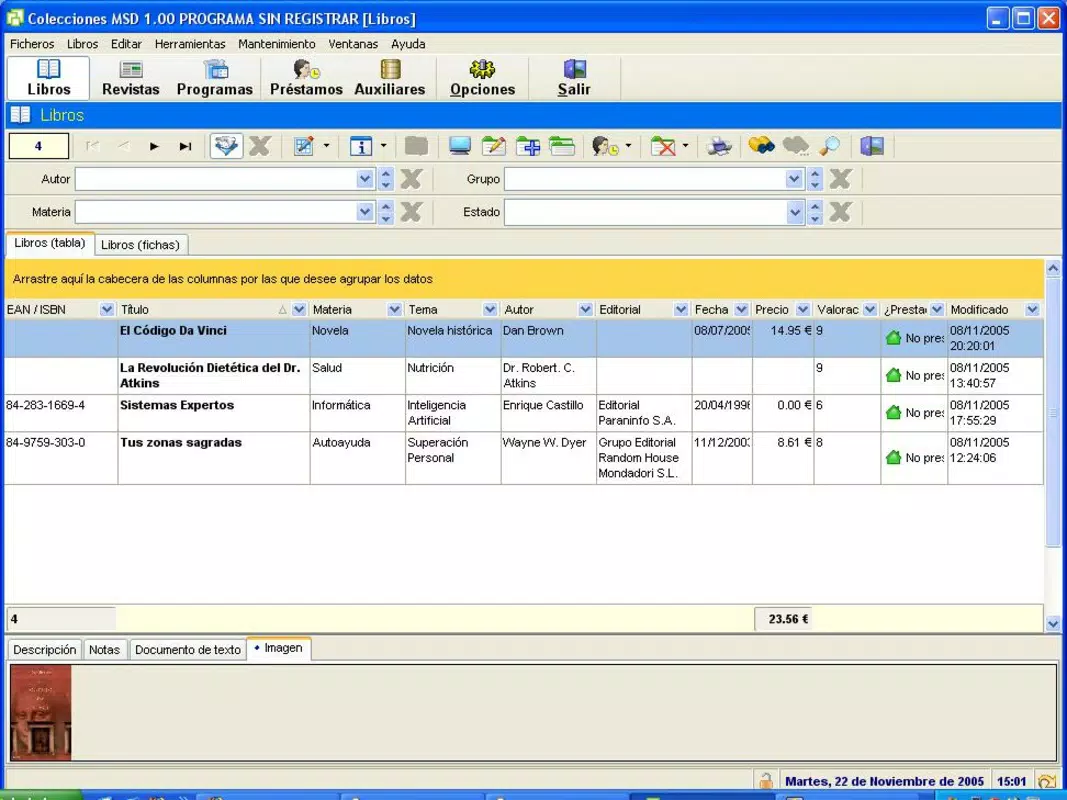
For example, a user managing a personal library can quickly add a new book, assign it a category, and mark it as available or borrowed. When a friend borrows a book, the user logs the borrower’s name and return date. Later, the app can generate a report showing all outstanding loans, helping the user follow up in a timely manner. This level of detail supports responsible collection management without requiring complex tools.
Interface, UX & Performance
The interface of MSD Collections reflects a minimalist design philosophy, prioritizing clarity and ease of access. Navigation is straightforward, with clearly labeled sections for each collection type. Users can add, edit, or search for items using simple input fields and dropdown menus. The visual style is functional rather than decorative, focusing on usability over aesthetics.
Navigation flow is linear and predictable, reducing the likelihood of user errors. The app responds promptly to user inputs, suggesting a stable performance on mid-range Android devices. Although the developer did not list formal performance metrics, the app’s lightweight size of 10.8 MB indicates efficient resource usage. Responsiveness across different screen sizes appears consistent, though specific device compatibility details were not disclosed.
Stability is a notable strength, with no reported issues related to crashes or data loss in available documentation. The app maintains data integrity during regular use, ensuring that collection records remain accurate. While the developer did not provide information on background processing or battery consumption, the low file size suggests minimal impact on device performance.
Platform Compatibility & Technical Requirements
MSD Collections is available exclusively on the Android platform. The current version is 1.2.4, with a file size of 10.8 MB. This compact footprint makes it suitable for devices with limited storage space. The app is free to download and use, with no in-app purchases or subscription models currently reported.
The developer did not specify minimum OS requirements or compatibility details beyond the platform. As such, users should verify compatibility with their device’s Android version before installation. The app may function on older Android systems, but official support levels are not confirmed. No additional permissions or hardware requirements were listed.
Pros and Cons
Pros
- Lightweight and efficient with a small file size of 10.8 MB.
- Free to download and use with no hidden costs.
- Offers password protection for sensitive collection data.
- Supports lending tracking with borrower and due date logging.
- Enables generation of printable reports for physical record-keeping.
- Continuously under development with future modules planned.
Cons
- Platform availability is limited to Android only.
- Specific OS version requirements were not disclosed.
- App lacks integration with cloud storage or backup services.
- No support for syncing across multiple devices.
- Only basic search and filtering functions are currently available.
FAQ
Is MSD Collections safe to use?
Yes, the app includes password protection to safeguard user data, ensuring that only authorized individuals can access collection records.
Can I use MSD Collections on iOS devices?
Currently, the app is only available on Android. There is no official iOS version or announcement regarding future availability.
Does the app support cloud backup?
The developer did not provide information on cloud integration or automatic backup features.
Are updates free?
Yes, since the app is free to download and use, all updates are expected to be provided at no additional cost.
Can I export my collection data?
The app allows users to generate printable reports, which can serve as a form of data export. However, no direct file export options (e.g., CSV or PDF) were mentioned.
Final Thoughts
MSD Collections stands out as a focused, privacy-conscious tool for managing personal collections of books, magazines, and software. Its clean interface, lending tracking, and printable report features make it a practical choice for users who value organization and data security. While limited to Android and lacking cross-device sync, its lightweight design and ongoing development signal a commitment to long-term usability.
Individuals managing personal libraries, tech collectors, or anyone seeking a simple yet effective way to track their belongings will find value in this app. For those who prioritize control over their data and prefer tangible records, MSD Collections delivers a reliable solution.
Download MSD Collections now


